OSINT Information Gathering Techniques

OSINT Information Gathering Techniques
Google Dorks and Google Hacking
Hello, in this article, I will introduce you to Google Dorks, which are very useful in collecting passive information. I will talk about how to use it. Then, I will try to explain how we can find vulnerabilities with these dors and what we can achieve.

Google dork is a system that contains some parameters that make it easier for us to search with the Google search engine. These parameters allow us to filter the words we will search for. In this way, we can easily access the information we are looking for among the billions of sites indexed by Google. This system is indispensable for passive information collection.
Google Search Parameters
When searching on Google, we can refine our search using certain parameters. Let's take a look at these parameters and what they do...
Used to search page text.
Example:
intext:Provided by ProjectSend
It is used to search the page title.
Example:
intitle:"index of backup.php"
It is used to search within the URL.
Example:
inurl:"admin-login.php"
inposttitle/allinposttitle:
In blog research, it is used to search the blog title.
Example:
inposttitle:"Google Dork"
It is used to search on keywords. It ranks the sites with the specified keyword according to their popularity.
Example:
inanchor:"cyber security"
It is used to find results with the desired file extension.
Example:
filetype:log "AUTHTOKEN"
Shows the version of the web page currently in the cache of the specified site.
Example:
cache:www.google.com
It is used to search the specified site.
Example:
site:"pwnlab.me" "Google Dorks"
It is used to find websites with similar content to a known site.
Example:
related:"pwnlab.me"
It is used to list results before or after a certain date. before means before, after means after.
Example:
allintext:password filetype:log after:2018 before:2021
Google Search Operators
Operators are auxiliary characters used with parameters in writing dorks.
Using quotation marks around the phrase you're searching for will help you find exact match results rather than the broad results you'll get with a standard search.
example
"open source intelligence"
The minus operator is used to avoid showing results containing certain words.
example
site:facebook.* -site:facebook.com
The plus operator is used to combine words. Useful for detecting pages that use more than one specific key
example
site:facebook.com +site:facebook.*
The star operator is used to represent a field that can be filled with any word. In other words, different words may appear where the star operator is located in the search result.
example
site:*.com
In this example, all sites ending with the extension '.com' will be listed.
It is also used to search for synonyms of the specified word.
example
~set
For example, querying for "~set" will list results containing words like "configure," "collection," and "change," which are synonyms for "set."
| and OR operator corresponds to the logical operator "or" in Turkish. Lists results where one or both of two conditions are met.
example
site:facebook.com | site:twitter.com
The & operator and the AND operator correspond to the "and" logical operator in Turkish. Lists only results from two conditions that both satisfy.
example
site:facebook.com & site:twitter.com
What is Google Hacking?

Google hacking is a method used to find a vulnerable index of web pages on the internet or to collect information by searching for open data on all sites. For example, with a Google query, we can find the login page of a site and scan for vulnerabilities there. In other words, we can call the use of queries we make with dors for hacking operations as 'Google Hacking'.
Google Hacking Techniques
We can access many different information on the internet by using Google Hacking techniques. Let's see together what kind of information and how we can access it...
Log files
log filesis a perfect example of how sensitive information can be found on any website.
We can use the allintext and filetype parameters to access the log files indexed by Google.
allintext:username filetype:log
This query will list the results containing "username" in all log files indexed by Google on the internet.
Vulnerable web servers
By using Google dorks, we can find websites with certain security vulnerabilities. The presence of the phrase "/proc/self/cwd/" in the URL of a website is evidence that there is a vulnerability on that site.
inurl:/proc/self/cwd
With this dork we can find vulnerable sites, As you can see in the screenshot below, the vulnerable server results will be listed with their open directories.
Open FTP servers
Google not only indexes HTTP-based servers, but also open FTP servers.
With the following dork, we can find public FTP servers.
intitle:"index of" inurl:ftp
ENV files
.env files are used in web development environments to declare global configurations. One recommended practice is to move these .env files to a location where they are not publicly accessible. However, there are many developers who don't care about this and add .env files to the website directory.
intitle.index of .env
You will notice that usernames, passwords, and IPs are shown directly in the search results.
SSH private keys
SSH private keys are used to decrypt incoming and outgoing information in the SSH protocol. As a general security rule, private keys should remain on the system used to access the remote SSH server and should not be shared with anyone.
With the dork below, you will be able to find SSH private keys indexed by Uncle Google.
intitle:index.of id_rsa -id_rsa.pub
Email lists
It's pretty easy to find email lists using Google Dorks. In the example below, we can list excel files that may contain a large number of email addresses.
filetype:xls inurl:"email.xls"
Live cameras
It is very easy to access live camera web pages that are indexed by Uncle Google and are not restricted by IP. With the dorks below, we can access live cameras.
For IP based cameras:
inurl:top.htm inurl:currenttime
To find WebcamXP-based streams:
intitle:"webcamXP 5"
For general live cameras:
inurl:"lvappl.htm"
SQL dumps
SQL dumps appear on sites as a result of incorrect backup mechanisms used by site administrators who store backups on web servers. To find a compressed SQL file we use:
"index of" "database.sql.zip"
WordPress Admin
It's not too difficult to find WordPress Admin login pages with a dork:
intitle:"Index of" wp-admin
Apache servers may be misconfigured. This makes them great targets for botnets.
 We can find Apache2 web pages with the following dork:
intitle:"Apache2 Ubuntu Default Page: It works"
phpMyAdmin
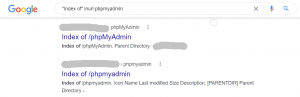
Another risky tool frequently discovered on LAMP (Linux, Apache, MySQL, PHP) servers is the phpMyAdmin software.
Dork to use to find sites with this software:
"Index of" inurl:phpmyadmin
JIRA/Kibana
Google dorks can also be used to find web applications that host important corporate data (via JIRA or Kibana).
inurl:Dashboard.jspa intext:"Atlassian Jira Project Management Software" inurl:app/kibana intext:Loading Kibana
Google Hacking Database is a database containing dors that we can use for hacking activities. On this platform offered by Exploit DB, we can list the dors used by many experts and use the dors that we think will be useful to us.
source: Google Hacking for Penetration Testers*,*Johnny Long, Bill Gardner, Justin Brown, 2015 Originally published at https://pwnlab.me on October 19, 2021.
Passive Information Gathering Techniques
Hello, in this article that we prepared with my teacher Mehmet Bulut, we will talk about Passive Information Gathering Techniques.
What is Passive Information Collection?
Passive Information Collection is a type of information collection that is done without direct contact with the target. For example; Asking questions to the person next to you about someone sitting across from you is passive information gathering.
In penetration tests, first information about the system is collected and classified. Most of this information is available on the internet. Apart from this, different information collection methods can also be used.
Information Gathering Techniques via IP and Domain Names
With the Whois query, we can access information about the owner of a domain or IP address. These; Information such as IP ranges about the target, the responsible administrator and the e-mail addresses of these administrators.
IP address and domain name distribution around the world is managed from a single center. Apart from this main center called ICANN(Internet Corporation for Assigned Named and Numbers), five different RIRs; In other words, there is a regional internet logger.
Whois queries can be made through these RIRs. If the queried IP address is not under the control of the RIR we queried, it will give you the information of the relevant RIR.
You can also learn the information about an IP address from the Linux terminal screen.
It is a web page that can display information about the operating system hosting the queried IP address or domain name, kernel version, software running as a web service, and even uptime information. Netcraft queries the target system and makes predictions based on the answers returned.
We can access the relevant site at www.netcraft.com.
Shodan is a search engine that helps find various services and applications around the world. Although its name is a search engine, it differs from other search engines due to the work it does. While other search engines cannot answer the question "We want to find servers using nginx?", Shodan can answer this question.
Shoda has many features. The most effective of these is that it can record the data obtained with the "banner grabbing" technique and return results to you with various filters.
We can search for countries, cities, service providers, services, versions and platforms on Shodan.
We can access the relevant site at www.shodan.io.
DNSdumpster
DNSdumpster is a free passive information gathering tool that can discover host servers associated with a domain. Finding servers that are visible from the attackers' perspective is an important part of the security assessment process.
We can access the relevant site at www.dnsdumpster.com.
Centralops
IP, detailed whois information, DNS records and TcpQuery information of a domain on the centralops address are obtained. In the Nslookup section, very advanced DNS queries can be made. It is among the indispensable sites for passive information collection.
We can access the relevant site at www.centralops.net.
IP Location
It provides geographical location detection by querying the target IP address in 5 different RIRs. The results of this query may vary between service providers.
We can access the relevant site at www.iplocation.net.
Archive Sites
It is a system that has been recording the entire internet since 1996. It brings up that snapshot of pages by year, month, day. Useful for finding previous versions of a website.
We can access the relevant site at www.archive.org.
Maltego is a tool that allows us to analyze and visualize the data found through open sources. As shown in the example below, when we write the name of a website and run it to query, it shows many data such as DNS, mail server, nameserver addresses registered to this name. In addition to these procedures
- Subdomains and public IP addresses
- Usernames and passwords
- Directory list
- Publicly sensitive documents and files
- You can access information such as leaked identity information.
Information Gathering Techniques via Username
Name Checkup
Name Checkup is a simple tool that helps us find out on which other platforms the given username is used..
We can access the relevant site at www.namecheckup.com.
Username Search
Another tool where we can find out which platforms usernames are used is Instant Username Search. It can search on more platforms than Name CheckUp.
We can access the relevant site at www.instantusername.com.
Information Gathering Techniques Through Images
Image Search
It is a search engine technology that uploads an image file and returns similar images and results related to the image. By making a reverse image:
- The source of an image
- Whether it has been installed before
- Whether it is under copyright or not
- Features of products or objects we do not know
- Identifying the actual source of images that cause disinformation
We can use it in situations. The most commonly used Image Search Engines are Google and TinyEye.
Exif is where the data about the photo is located. This section contains a lot of information such as the place, date and time where the photo was taken. The most commonly used tools to collect this information are ExifTool and Jeffrey's Image Metadata Viewer.
General Information Gathering Techniques
Google Hacking
Google Hacking is an information gathering technique with parameters that can make the queries we make on Google specific. We call the queries we write with these parameters dork. For example;
inurl:"pwnlab" intitle:"passive information collection"
We talked about these dorks and their usage techniques in detail in our article titled Google Dorks and Google Hacking. To learn more about Google hacking, you can check out this article.
theHarvester
theHarvester is a tool that runs on Linux. With this tool, we can collect information from open sources by scanning many websites such as Linkedin, Google, Twitter, Yahoo.
We download our tool with the command below.
sudo apt install theharvester
After installation, the following command will display the information it found on Google about the pwnlab.me site.
theHarvester -d pwnlab.me -b google
You can also detect site-based information with commands such as linkedin, bing, all etc. instead of google.
To get detailed information about its usage, you can go to https://github.com/laramies/theHarvester.
OSINT Framework
Osint Framework is a website where you can access hundreds of passive information collection tools. Clicking on the section within the categories that suits your target allows you to make more detailed inquiries. Additionally, if there is a (T) text to the right of the options, you can see that you can only do this through the terminal.
We can access the relevant site at www.osintframework.com.
Originally published at https://pwnlab.me on November 26, 2021.
[TR] Active Information Gathering Techniques
In this article, we will talk about Active Information Gathering Techniques.
What is Active Information Collection?
Active information collection is a type of information collection that is done by contacting the target directly. With active information collection, we can obtain clearer and more reliable results than with passive information collection. However, since direct contact is made with the target, a trace is left on the target. Care should be taken as records are left in firewall, IDS and access logs.
DNS Scans
DNS protocol is the basic building block of the internet, DNS tells us which IP address the domain name we enter is located. A poorly configured DNS server can give out a lot of information.
nslookup is a basic tool with which we can make a DNS query.
nslokup www.pwnlab.me
The dig tool is one of the tools with which we can perform a DNS query. We can make a DNS query by giving the domain name as a parameter to the dig tool.
dig www.pwnlab.me
To query which DNS servers DNS queries for a domain name pass through, we add the +trace parameter to the dig command. With this parameter we can monitor DNS query traffic.
dig pwnlab.me +trace
You can try using brute force to find subdomains related to a domain. The dnsmap tool is used for this. If a wordlist is not given, it performs it using the standard list hosted within itself.
dnsmap www.pwnlab.me
Port and Service Scans
One of the areas where active information collection is most effectively used is port and service scanning. There may be cases where vulnerabilities in services running on ports directly affect the server.
nmap is short for Network Mapper. It is an open source Linux tool used to scan IP addresses and ports on a network and detect installed applications.
nmap is used to find which devices are running on networks, discover open ports and detect security vulnerabilities.
When setting a target with nmap, you can specify the target in different sizes.
- nmap 192.168.1.1: Searches only for the given address.
- nmap 192.168.1.1â€"15: Scans IPs in the given range, including IPs 1 through 15.
- nmap 192.168.1.0/24: performs subnet scanning.
- nmap pwnlab.me: Searches for domain name
- nmap -IL list.txt: Scans the IPs in the list.txt file.
We can perform different types of searches with nmap.
- nmap -sP 192.168.1.0/24: Scans with ping.
- nmap -PA 192.168.1.0/24: Analyzes with TCP-ACK Ping.
- nmap -PS 192.168.1.0/24: Analyzes with TCP-SYN Ping.
- nmap -PE 192.168.1.0/24: Analyzes with ICMP Echo Request.
- nmap -PU 192.168.1.0/24: Analyzes with UDP Ping.
There are 6 different definitions expressing the status of the ports in port scans made with nmap.
- open: The port is open and is being listened to by an application.
- closed: The port is closed but accessible. There is no application listening on the port.
- filtered: Due to the filtering process, nmap could not detect information about the port.
- unfiltered: Returns for ACK Scan. The ports are accessible but cannot be determined to be open.
- open|filtered: It was not determined to be open or filtered.
- closed|filtered: Not detected as closed or filtered.
https://www.kali.org/tools/netcat/
Netcat is considered the Swiss army knife in the Networking world. It is an easy-to-use and multi-purpose tool with many features, so we can consider it as a Swiss army knife in cyber security. Netcat has many features, the main ones being:
- Port scanning
- Port forwarding
- File upload and download (file transfer)
- Remote shell opening
*Backdoor
Usage Parameters
nc -h
nc [options] [destination ip] [port]
With the example command line above, you can perform operations on the target IP using usage parameters.
nbtscan is a tool for scanning IP networks for NetBIOS name information. Sends a NetBIOS status query to each address in the provided range and lists the received information in a readable format. The IP address, NetBIOS computer name, logged in user name, and MAC address information is listed for each responding computer.
nbtscan -h
Usage parameters:
- -v: Verbose output; all work received from each computerprints the contents.
- -d: Dump packages; prints the entire package contents.
- -e: Formats the output in different formats.
- -t: Timeout; is the wait time for the response, default is 1000 milliseconds.
- -b: Bandwidth; limits bandwidth. (useful on slow internet connections)
- -r: Uses local port for scans.
- -q: Prints banners and error messages.
- -s: Separator; Separates the output into columns.
- -h: prints the help document.
- -m: New transfer; number of retransmissions (0 by default)
- -f: Filename; It is used to export IP addresses in file format.
nbtscan 77.92.138.0/24
https://www.kali.org/tools/netdiscover/
Netdiscover tool is a discovery tool that can show the operating systems, Mac, IP and router addresses of devices on the same network.
Features:
- Simple ARP Scanner
- Can scan multiple Subnets.
- Can work in Active and Passive Modes.
- Timing options available.
Usage Parameters:
- -i device: Your own device.
- -r range: Scans a specific range instead of automatic scanning. 192.168.6.0/24,/16,/8
- -l file: Scans the list of ranges found in the given file
- -p passive mode: Does not send anything, just sniffs
- -m file: Scans a list of known MACs and hostnames
- -F filter: customize pcap filter expression
- -s time: Waiting time between each arp request (milliseconds)
- -n node: Last ip octet used for scanning (from 2 to 253)
- -c count: Number of times each arp request is sent (for networks with packet loss)
- -f Enables fast mode scanning, saves a lot of time
- -d Ignores homepage configuration files for autoscan and quick mode
- -S Enables forced wait time between each request.
- -P Outputs print results in a format suitable for parsing by another program.
- -N Do not print the header. Valid only when the -P command is used.
A very functional tool
https://www.kali.org/tools/dmitry/
Dmitry tool is an advanced tool that can perform port scanning in addition to the whois queries we see in passive information collection. However, it can also collect information about subdomains and Emails. It can do the job of many tools on its own in passive and active information collection.
dmitry -h
- -h parameter: opens the help document.
- -o parameter:
- -i parameter: performs a whois query on the queried IP address.
- -w parameter: performs a whois query on the queried domain name.
- -n parameter: Makes a Netcraft query.
- -s parameter: Scans on subdomains on the target system.
- -e parameter: Queries E-mail addresses on the target system.
- -p parameter: Performs a TCP port scan on the target system.
- -f parameter: Shows the TCP ports filtered on the target system.
- -b parameter: Used to capture banners.
- -t parameter: Sets the TTL time to be used when performing TCP port scanning. By default it is 2 seconds.
dmitry www.pwnlab.me
It makes all queries regarding the specified domain name and presents them to us.
Originally published at https://pwnlab.me on January 14, 2022.